How to Easily Add Music to a Facebook Post?
As a content creator, you may know that scrolling stops when sound starts. Music on Facebook does not simply fill silence. It influences emotion, creates a connection and makes people watch longer. Whether it is the gentle background track in a story or a trending sound in a reel, music can immediately make your content look purposeful and engaging.
Have you ever tried to add music to a Facebook post and wondered where to find the button to do it? Well, you are not the only one. You might not be able to add music to all post formats in Facebook. The regulations also vary significantly with the posting of a story, a reel, a profile update or a business page. This tends to mislead creators and brands to think the feature does not exist when in fact it is format-specific.
Let us explore this interesting feature in depth.
Understanding Where Facebook Allows Music

Music is not a universal FB post feature. It is available in forms designed for immersive viewing. Stories, reels and some photo or video posts with the help of the mobile app can have music added. These formats have the advantage of background audio, as they focus on motion and emotion.
However, standard text posts and link shares do not provide a possibility to attach music. Facebook maintains these formats as clean and fast loading. It is important to know this difference. When you select the right format, music would be an asset rather than a missing option.
How to Add Music to a Facebook Story?
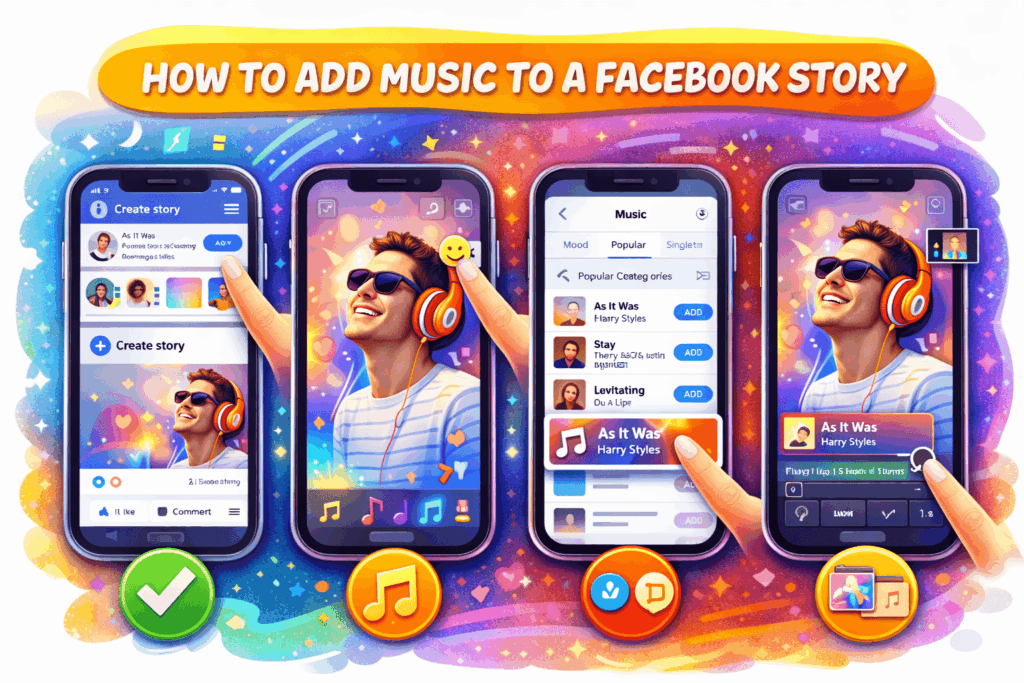
Adding music to a Facebook Story is easy when you know where to find it. Tap ‘Create Story’ after opening the Facebook mobile app. Share a photo or video or take one in real time. On the right panel of the top, tap the sticker icon and choose Music. You will find the licensed music library of Facebook, which is searchable by mood, genre, or popular tracks.
Select a song and drag the slider to choose the specific clip you want. On photos, Facebook will automatically shorten the length of music, whereas for videos music can be synchronized better. You can also update the appearance of the music, i.e. lyrics, album art or a bare sticker. Arrange any text in advance to keep the layout clean.
Stories expire after 24 hours, and this aspect makes them suitable for experiments. Use low-key background music when updating with posts every day and high quality music when making special announcements. Maintain a moderate music volume so that it does not overpower the story.
How to add music to Facebook story – Step by step
Step 1- Click ‘Create Story’ on Facebook application.
Step 2- Publish or record image or video.
Step 3- Select Music sticker
Step 4- Choose song and clip section
Step 5- Make adjustments to display style and post.
How to Add Music to a Facebook Reel?
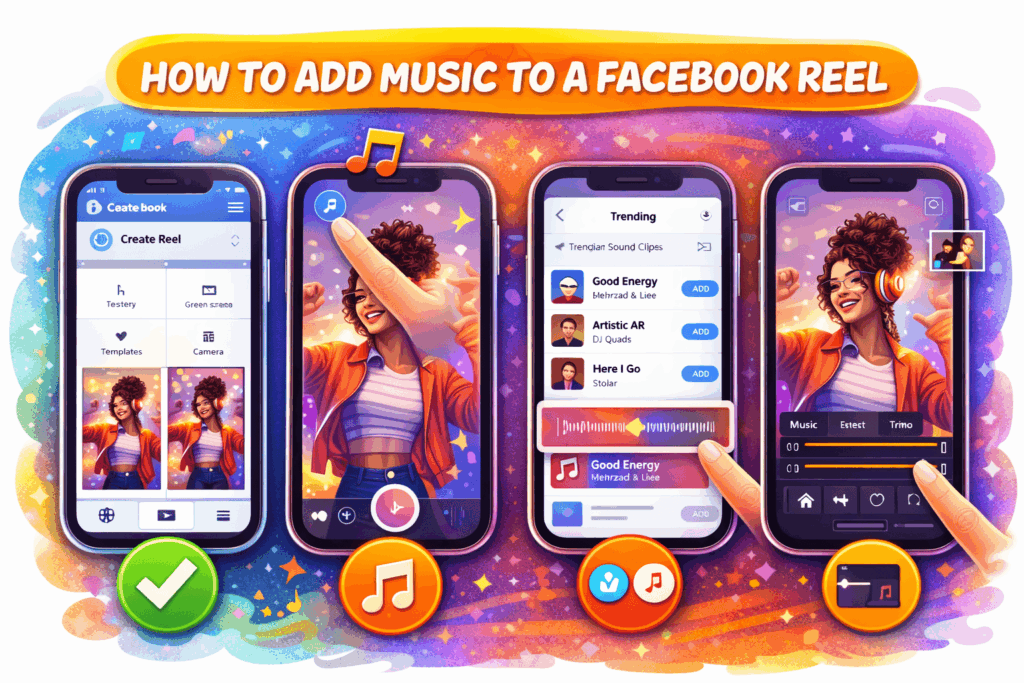
Facebook Reels are constructed with music as a core feature. First, open the Facebook app by clicking on Create Reel. Prior to recording, tap on the music icon to hear trending and popular sound clips. You can choose audio first and use clips around it, or upload a video that has already been recorded and then add music later.
After picking music, trim the audio to match key moments in your reel. Timing matters here. Timely transitions and beats also contribute greatly to watch time. Using trending audio reels in Facebook helps boost its discovery outside your follower base.
You can adjust music playing volume and adjust it with original sound or voiceovers. It can be applied in the case of a tutorial, a talking-head reel, or branded content. Previewing before posting helps in being clear.
How to add music to Facebook reel- Step by step
Step 1- Tap Create Reel
Step 2- Choose music either before or after recording.
Step 3- Trim audio to match visuals
Step 4- Control music and speech volume.
Step 5- Preview and publish
How to add music to a Facebook profile post?
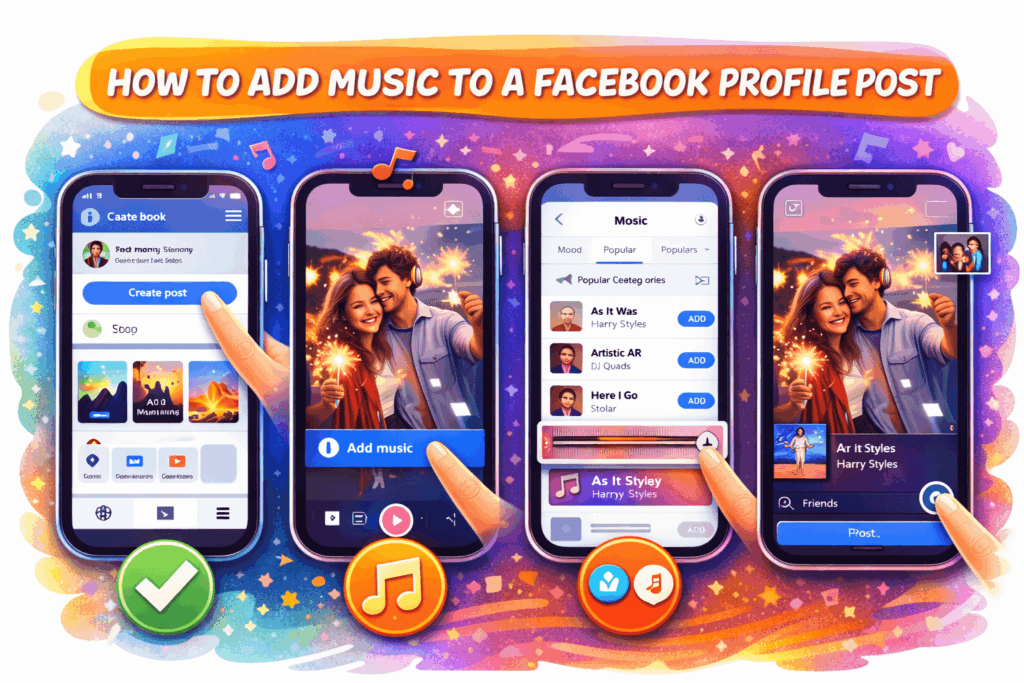
It is possible to add music to a Facebook profile post that includes a photo or video and create it with the help of the mobile app. You can begin by clicking on Create Post on your profile. Post a picture or a video, and you will see a music icon or the Add Music button on the editing screen. This opens the music library of Facebook where you browse songs based on mood, genre or popularity.
After choosing one, you get an option of the precise clip of the song and how you want it to look. There are posts that have album art and those that have audio playing background. Music-added profile posts are automatic when they are on the feed, which is more attractive than silent images.
Selection of the audience is also important. You can select the audience for the post, making it great for posting personal updates. Here, we see that music is effective in memorable celebrations and lifestyle content, where emotion is more dominant than information.
Can you add music to a Facebook page post?
Facebook Pages do not have the same music features as personal profiles. You cannot simply add a music to an ordinary Page post, particularly text or link posts. This limitation is because business pages are subject to stricter licensing and ad regulations.
However, Pages can still use music through video posts, reels and stories. A video recorded in Facebook or edited externally with music added is a great option. The Facebook Reels on Pages fully support music and have the best organic reach.
Brands should take care to select royalty-cleared or Facebook-approved songs. Any promotional content with copyrighted music may get muted or restricted.
What You Need to Know about Copyright Before Adding Music?
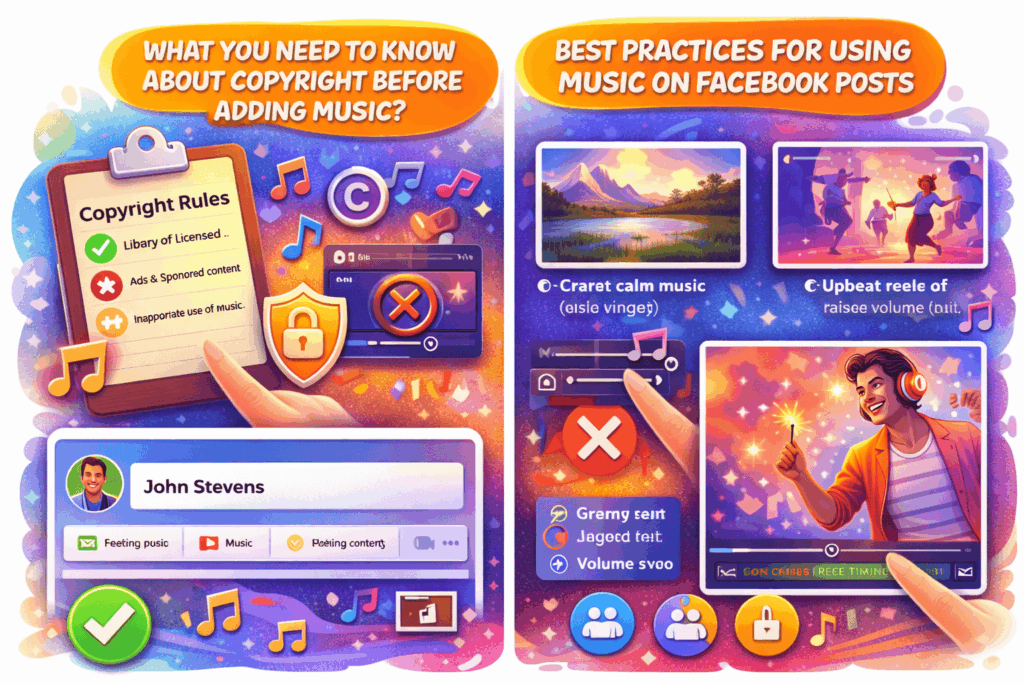
Facebook has a huge library of licensed music that you can access when you use the platform. Licensed tracks have wider access on the personal profiles, but businesses have more restrictions. Advertisement or sponsored content that contains members of the copyrighted music can be silenced, blocked, or taken down.
Facebook automatically scans audio. It can lose sound or become invisible in case the platform detects inappropriate use. This is common with advertisements, promoted content, or sales-oriented videos.
The best way to be safe is to play music on Facebook itself through their library, make clips short and do not use loops unnaturally. For brands, the safest option is royalty-free music or original music. These rules will enable you to protect reach and continue to using creatively.
What are the Best Practices for Using Music on Facebook Posts?
- Your content should be supported by music and not competing with it. Always synchronize your song with your message.
- Non-action videos should be accompanied by calm songs, whereas reels should be accompanied by upbeat or trending tracks.
- Do overdo the volume as it might distract from dialogue or visuals.
- Do not use music in every single post. Excessive use might look forced.
- For reels, timing matters. Follow beats to sync transitions and make watch times longer.
Conclusion
Music can uplift the vibe of a Facebook post or reel. When used in the appropriate formats, it creates emotion, improves watch time and reinforces engagement with stories, reels, videos and certain profile posts.
The trick is to know where music can be played on Facebook and use it purposefully. For expert assistance on aligning music with Facebook’s guidelines, you can consider consulting a social media specialist like FBPostLikes.
We help use platform guidelines without violating copyright laws and use audio and music that will complement your message. With us, you can ensure integrating emotion for stronger audience recall over time.
FAQs
1. Can I add music to an old Facebook post?
No. Facebook does not have an option of adding music to existing posts. To add music, you should create a new story, reel, or video post and add audio during creation.
2. Why does my Facebook Page not show the music option?
Licensing regulations restrict access to music on business pages. Reels and stories only are generally accompanied by music. Direct music addition is not supported using standard page posts.
3. Is Facebook music free to use?
Facebook has its own library of music that is licensed to supported formats. The usage of the personal and business accounts, however, is different. Misuse in promotional content can still trigger restrictions.
4. Will music allow my post to be seen by more people?
Music might enhance interaction and viewing time, in particular, in reels and stories. Most important is relevance and quality of content, which can be achieved with the use of higher engagement signals.
5. Can I use my own song on Facebook posts?
Yes. Original music is allowed. Posting videos with your own sounds will eliminate copyright concerns. It suits creators, brands and businesses who want complete control.