How to Count Instagram Followers? A Complete Guide
If you are an influencer or a business owner, then keeping track of your Instagram analytics, such as followers, is one of the most important steps to increase your online presence. Although Instagram offers some helpful insights, it lacks one important metric – which is the historical count of Instagram followers. Well, in today’s guide, we will be exploring various methods by which one would be able to count their followers. Let’s get started.
Why is it important to track Instagram follower counts?
Your Instagram follower count is more than just a vanity metric. It is more of a real-time health check for your online presence. When you track it regularly, you are able to locate patterns, understand what works and what doesn’t for the content, and identify sudden drops.
Here are some reasons why this matters.
1. Measure Content Performance Objectively
By monitoring your follower growth, you’ll be able to gauge what posts, Reels or Stories they would be interested in, and that will guide your future posts. If they see a spike following one type of content, then you can achieve the same by making similar content. On the other hand, a decrease indicates that something is not working, which enables you to make necessary adjustments promptly.
2. Detects Unusual Activity or Spam Drops
The abrupt drop in followers is not necessarily due to bad content; it may be due to Instagram’s bot/spam removal policy or a technical error. These anomalies are easier to identify if you are tracking regularly. You will be prepared enough to deal with the drop, as you will know if it was natural or not, thus safeguarding your brand’s credibility.
3. Provides Support for Optimizing Posting Over Time
Using follower growth metrics with your upload schedule, you can determine which days/times are more effective for attracting new followers. This information can help you fine-tune your content plan. Weekly and monthly tracking becomes a predictable growth strategy based on your audience over weeks and months.
Quick Steps to Track Instagram Follower Count
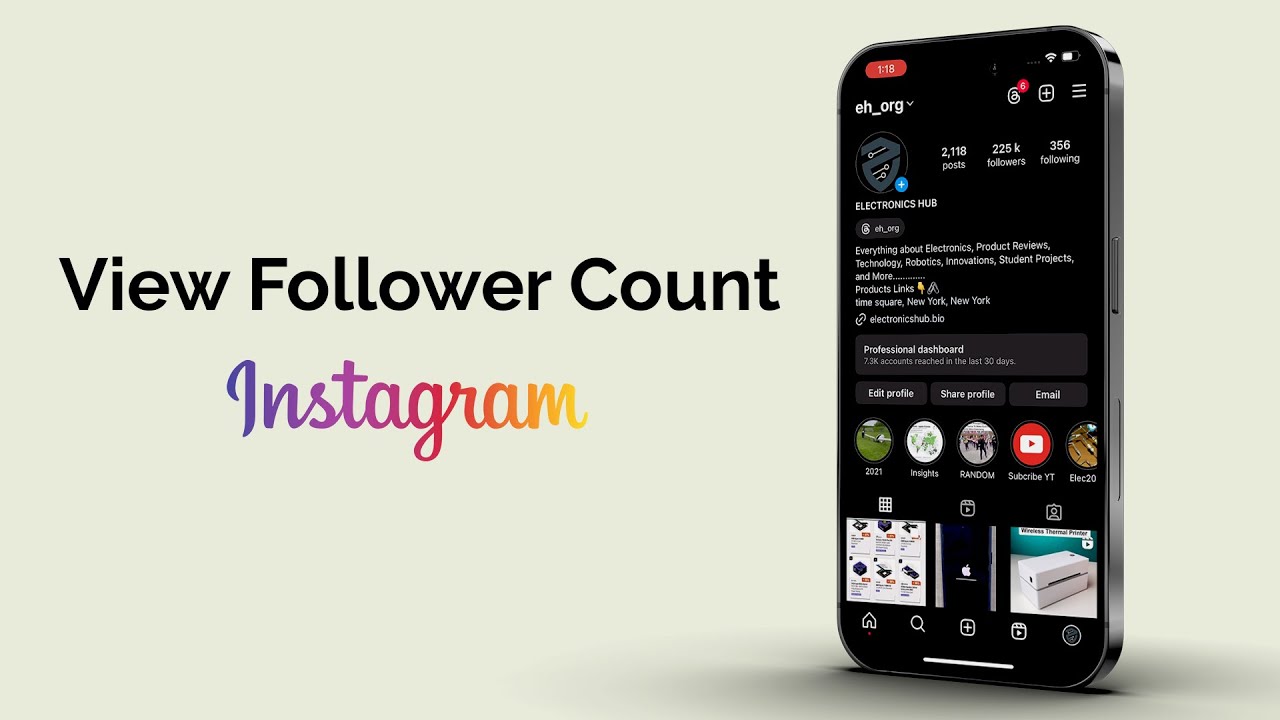
One of the easiest ways by which anyone can count their followers is by simply looking at the followers’ count on your profile. Here’s what you have to do;-
Count Instagram Followers on your Mobile:
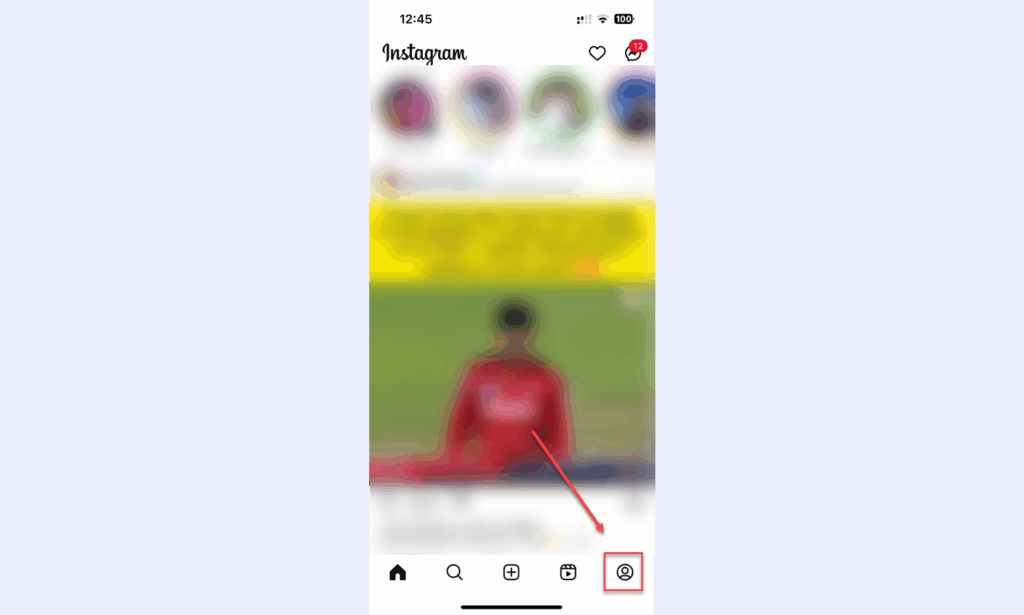
- Open up your Instagram account on your mobile & click on your profile icon.
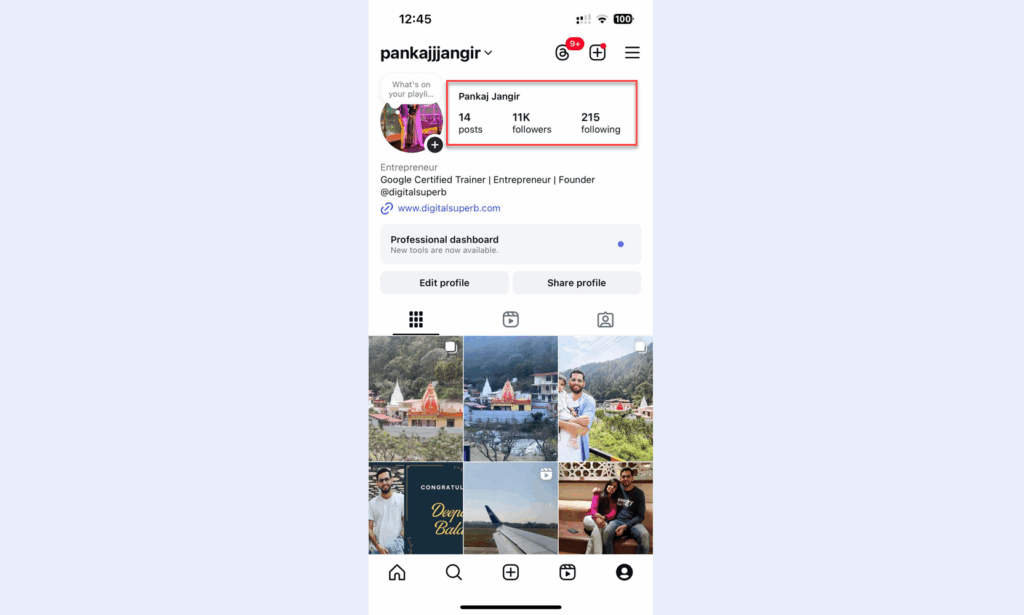
- After clicking on your profile icon, you will be able to see the number of followers you have on Instagram (ex. 20k or 1M), if you have a decent amount of following on Instagram.
Count followers on your Desktop
- Start by opening an Instagram app on your device.
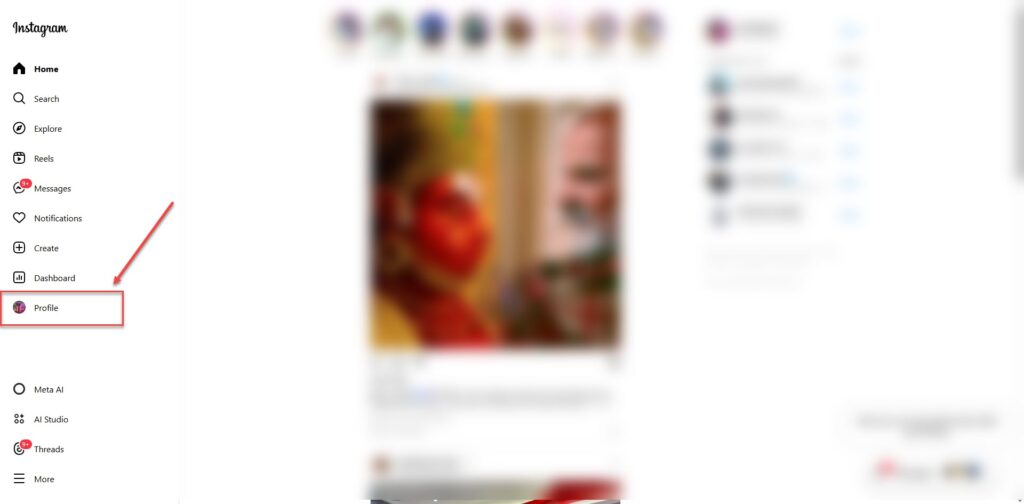
- Go to your profile by tapping on your profile icon at the bottom corner.
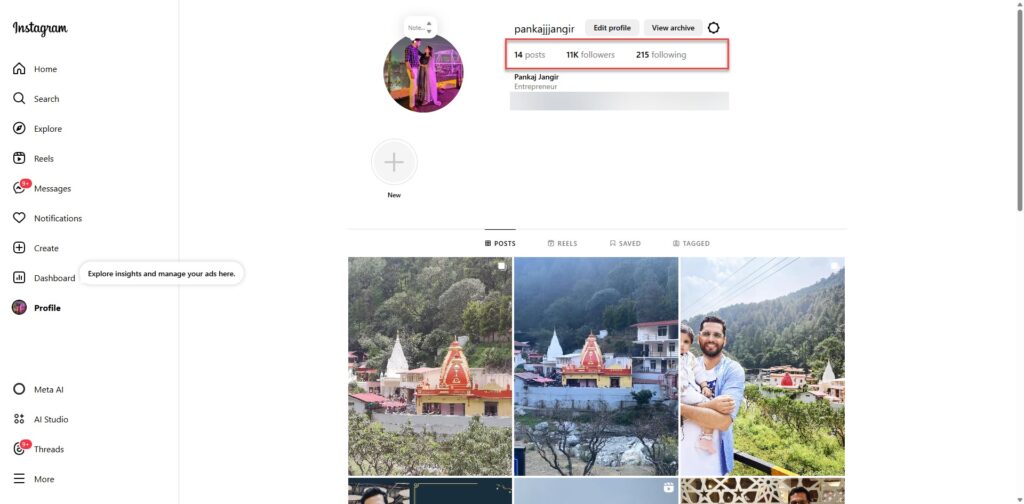
- At the top of your profile page, you can see the number of followers that you have listed under your username.
This method is simple, but it does not offer a way to track changes over time, nor does it help in analyzing the follower’s insights & demographics or any growth patterns. If you have a decent amount of followers on Instagram, then Instagram will showcase your follower count with the “K” sign (ex.10k followers). However, to know the exact number of your followers then make sure to use this tool https://www.fbpostlikes.com/instagram-followers-count.html.
How to Count Followers on Instagram? A Step-By-Step Guide
Using Instagram Insights (For Business Accounts)
“Follower count is like a snapshot of your online popularity. It tells you how your content is being seen by the public.”
Rest assured, Instagram does provide the Instagram insights feature, especially for business accounts or creating profiles. However, this feature not only gives you the number of followers but also offers detailed analytics about your followers, such as their age, gender, location & the time that they are most active.
Here’s how you can access Instagram insights;-
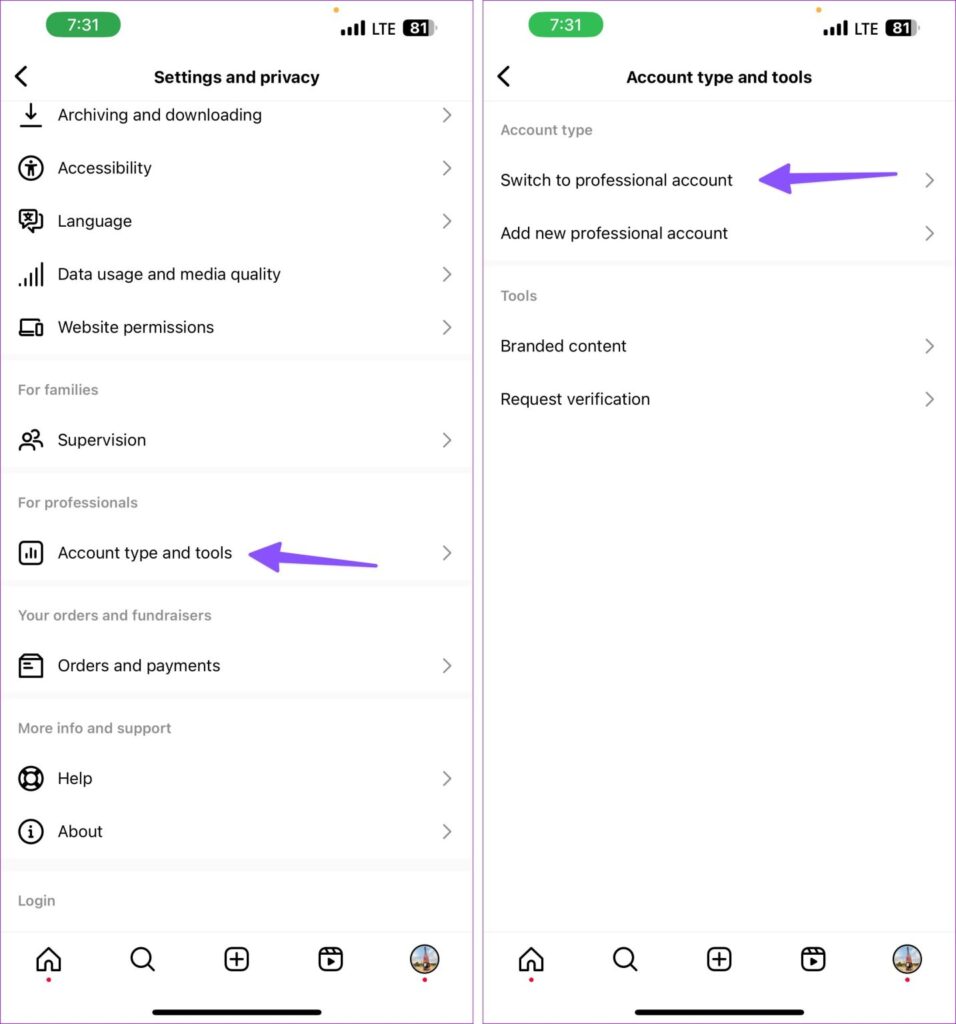
- Start by making sure that your account is set up as a business or as a creator.
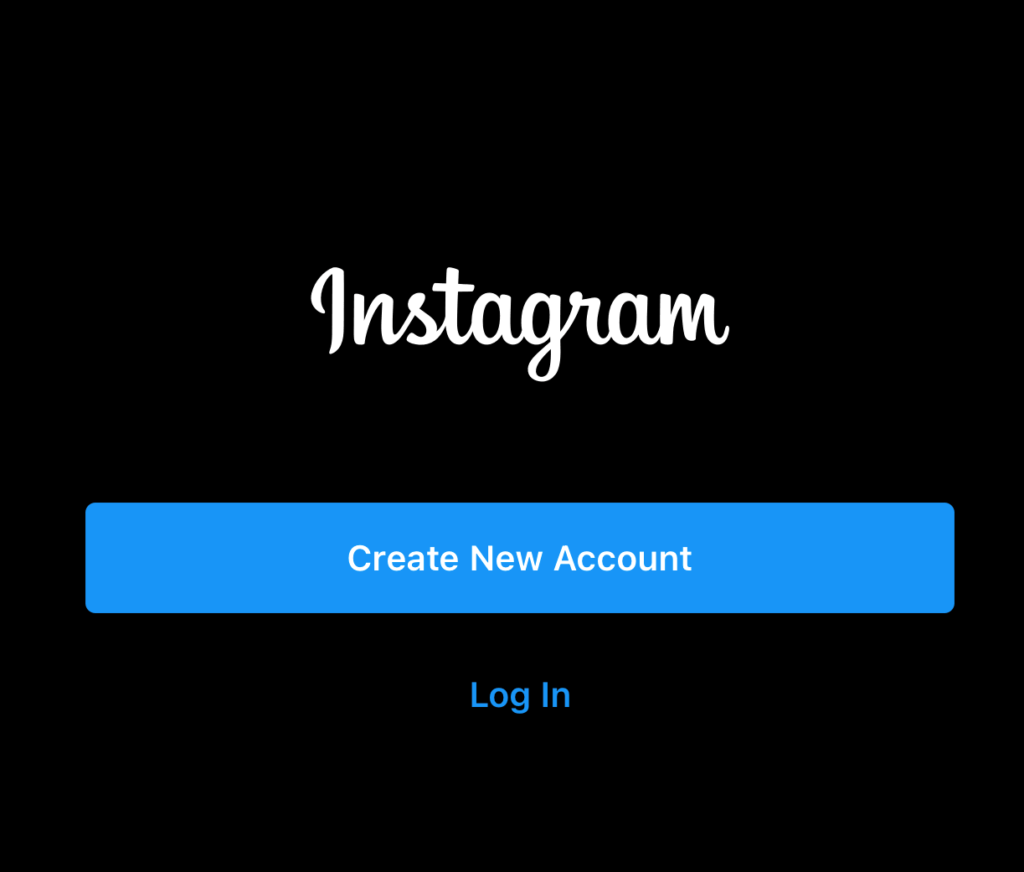
- Go to Instagram & login to your Instagram account.
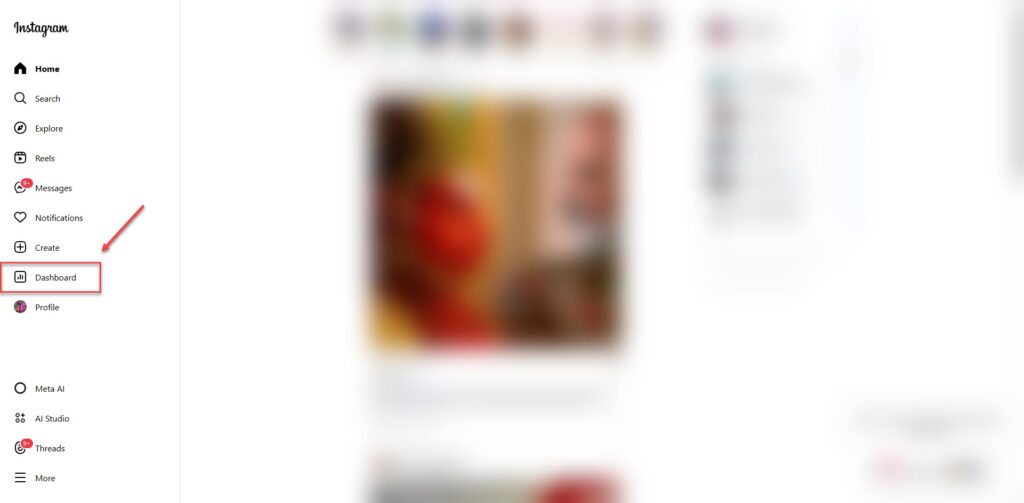
- After logging in, click on the dashboard option from the left panel.
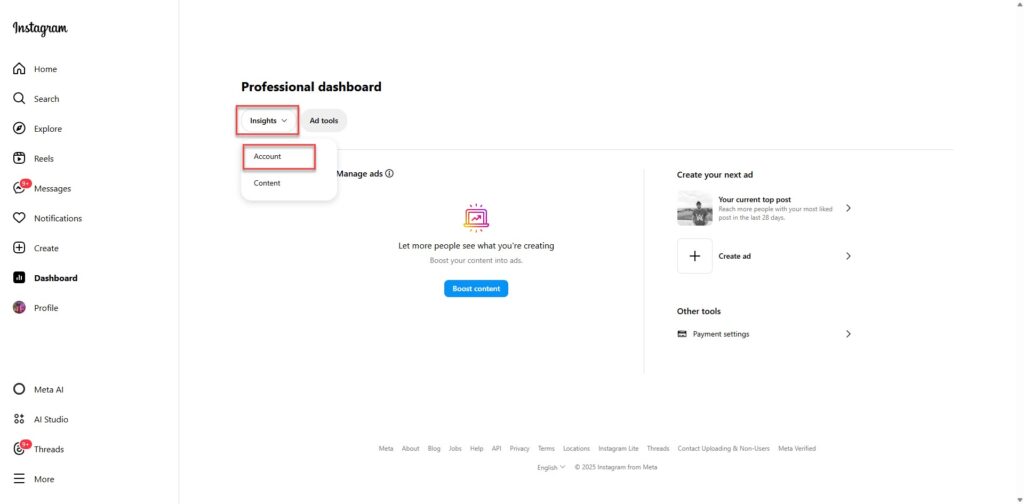
- From there tap on the insights section and click on the accounts option from the insight drop-down menu and get detailed analytics.
Henceforth, Instagram insights do provide a great option, especially if you want to understand the audience metrics on a deeper level. However, you can only do that if you have a business or creator profile.
Using Third-Party Tools to Track Your Followers
The manual method neither offers full flexibility nor allows you to get real insights. However, if you want more flexibility, then any third-party tool might be able to help you with your query.
Luckily, we do know of a tool that can help you to count your Instagram followers.
FB Post Likes is a free online tool designed to help you check your Instagram followers quickly & accurately. Therefore, all you have to do is add in your username & then you will get an instant, up-to-date count of your followers.
Here’s how you get around this tool to count your followers:-
- Start by visiting https://www.fbpostlikes.com/instagram-followers-count.html.
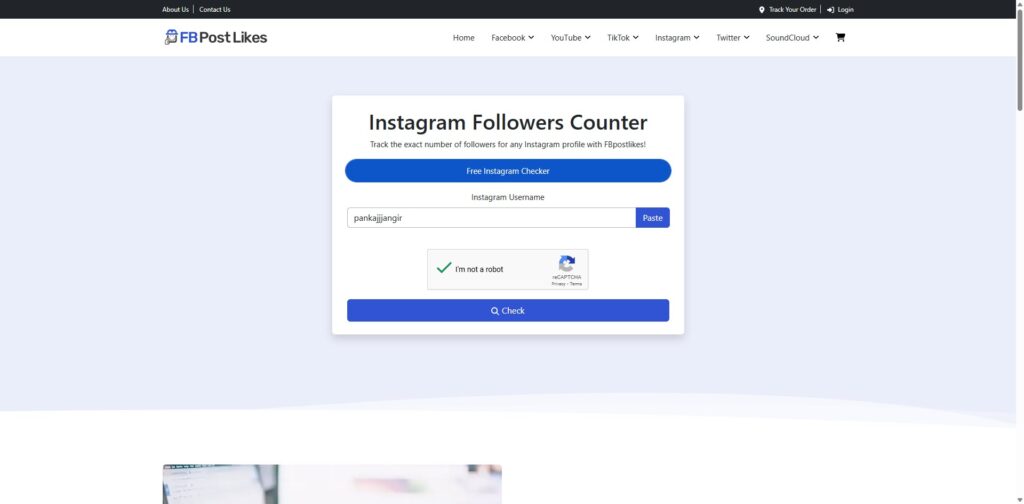
- Then, enter your Instagram username in the search bar.
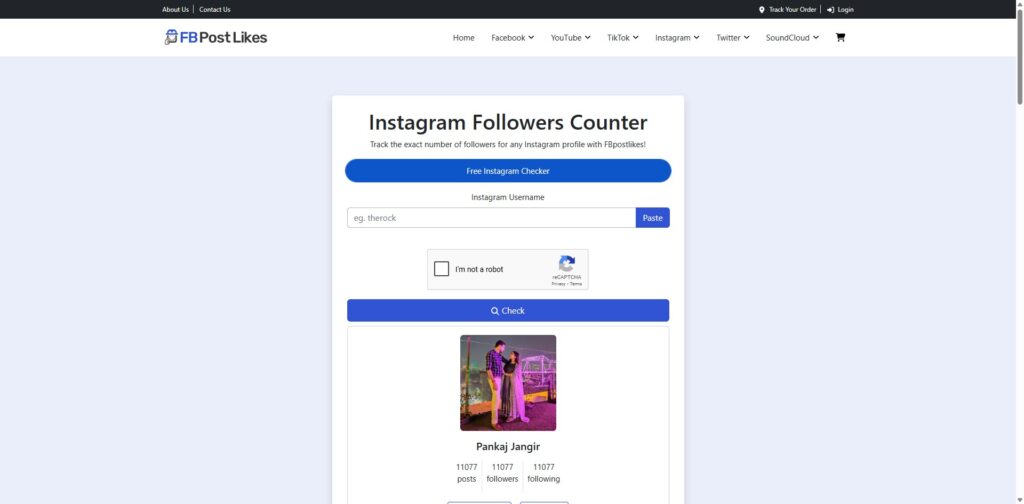
- Tap on the check followers & then wait for the tool to process the request & return your current follower count.
And this is it! That’s all you have to do to count your followers in an instant.
Summing Up
Counting Instagram followers is one of the important parts of managing your social media presence, especially if you are a budding business owner or creator. Whatever you require, many tools might work in your favor.
However, Instagram does have a built-in feature that is both convenient and includes third-party like FB Post likes offer, which offers a simple & accessible way to keep track of your follower count.
By simply following these methods, you can get better insights into social growth & optimise your content strategy accordingly.
FAQs
Q1. Why doesn’t Instagram show exact follower count if I have more than 10,000 followers?
To conserve space on profiles, Instagram rounds up large numbers to the nearest “K” (thousands) or “M” (millions). For the exact number, check out a free utility such as fbpostlikes.com or utilize a business account and look at Instagram Insights.
Q2. Can I track the history of Instagram followers on the app?
No, Instagram doesn’t have historical follower count data. You’ll have to manually track your count over time, use third-party tracking tools or use Instagram Insights to track your current data, not past changes.
Q3. Do I need a business or creator account to access Instagram Insights?
Yes, Instagram Insights is only available for business and creator accounts. This built-in feature does not allow for access to advanced follower data such as performance metrics of content, active times, or detailed follower demographics in a personal account.
Q4. Is FB Post Likes a free tool to check Instagram followers?
Yes, there is a free online tool available on FB Post Likes. Just visit their page of Instagram followers and type your username and click on “check followers” to get accurate and instant followers count for free.
Q5. When should I review my Instagram followers count for valuable information?
A weekly check is best to see if there are any growth trends or sharp declines. Monitoring daily could create undue stress for seeing normal fluctuations, while monthly monitoring could overlook significant trends or technical problems.
Q6. Is it true that the more people who follow me, the better deal I will get?
Absolutely. Follower count is an important metric for brands when considering partnerships. Regularly monitoring your progress will enable you to provide precise statistics, demonstrate audience reaction and hold confidence over more lucrative sponsorship deals.