Snapchat’s New Memories Feature: You Need to Know About the Storage Plans!
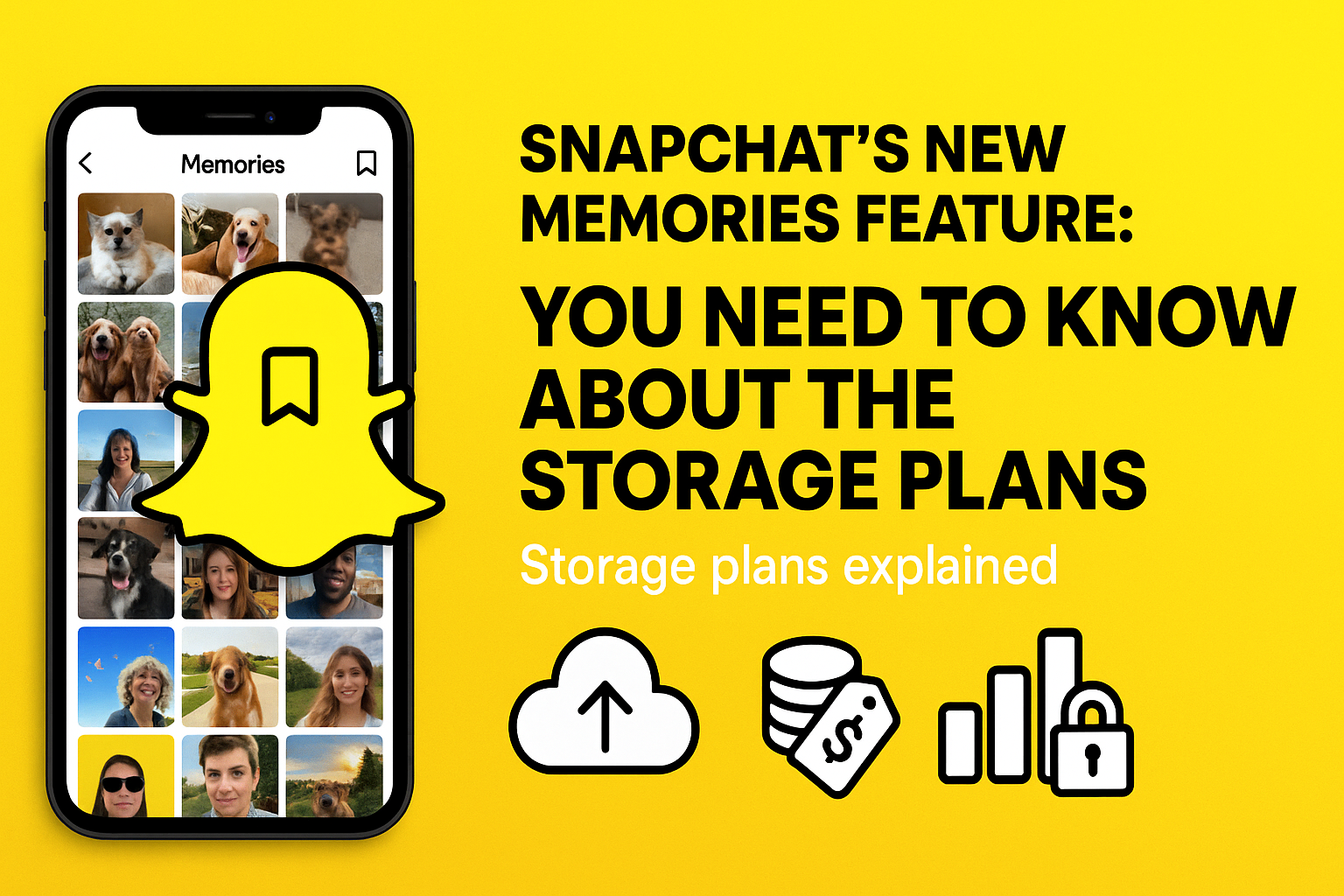
Snapchat Memories has been a beloved feature for a long time, allowing users to save their favourite Snaps and Stories in a personal archive. But from October 2025, Snapchat is making a major change that’s brought up conversation across the internet, this is Memories storage is no longer unlimited, you can only get 5GB same as Google drive or iCloud.
Let’s discuss What’s Changing in Snapchat Memories?
Snapchat has officially revealed storage limits for its Memories feature. Previously, users could save an unlimited number of Snaps and Stories without any plans. But now, the free tier is limited at 5GB. If you exceed this limit, you’ll need to either export your Memories or subscribe to one of Snapchat’s new Memories Storage Plans.
What are the Storage Plans for Snapchat ?
There are three plans that Snapchat is offering to accommodate different user needs:
- 100GB for $1.99/month:
- 250GB for $3.99/month (Snapchat+ Subscribers)
- 5TB for $15.99/month (Platinum Subscribers)
Now there is no unlimited feature for memories on Snapchat, many users use this feature to avoid storage on their devices, but now if you exceed your memory more than 5GB, you will need to go for the plans mentioned above.
These plans have been introduced to meet the user’s requirements, and you can go for the plan as per your need.
- 100GB for $1.99/month: This plan is for casual users who captures their memories occasionally.
- 250GB for $3.99/month (Snapchat+ Subscribers) : Applicable for those who are content creators and photographers with large numbers of memories they need to archive.
- 5TB for $15.99/month (Platinum Subscribers) :
- This plan designed for active users who frequently takes snaps.
How to Export your memories from Snapchat in One- Go?
You need to export all your Snapchat Memories in one go, you would need to request a data download from Snapchat’s website. This will include your saved Snaps, Stories, and metadata.
Here’s how to do it step by step:
Method 1: Request a Full Data Download from Snapchat.
This is the most efficient way to export everything at once.
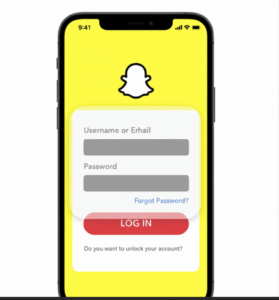
1. Log in with your username and password.
2. Click on Setting Icon by going to your profile.

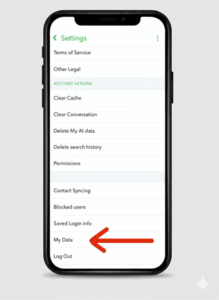
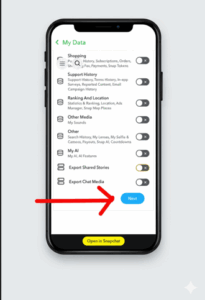
3. Scroll down untill you find “My Data” under account setting and tap on it.
4. Select the data you want to export and tap next. It includes all the details of your snap account and you can select what you need to download.
5. Choose the date range you want to download and should be exported. Confirm your email address.
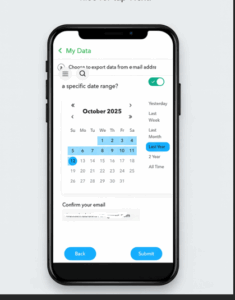
6. Once Email address is confirmed , Scroll down and tap “Submit Request”.
Snapchat will prepare your data and send you a download link via email.
- Once ready, download the ZIP file. It contains:
- Your Memories metadata
- Saved Snaps and Stories
- Chat history, friends list, and more
Method 2: Manually Export via the Snapchat App
If you want to export all media files directly:
- Open Snapchat and swipe up to access Memories.
- Tap the checkmark icon in the top-right corner.
- Select all Snaps and Stories (you may need to scroll and select in batches).
- Tap ‘Export’ at the bottom.
- Choose Camera Roll, or another destination.
Grace Period of 12 months for Transition
To ease the transition, Snapchat is giving users 12 months of temporary storage if they exceed the 5GB limit. This gives you time to either upgrade your plan or export your Memories before any deletions occur.
How Snapchat Memories Compares to Other Cloud Storage Options
Snapchat is not the first platform to move away from unlimited free storage. Comprehending how its new plans compare to other services can help you decide whether to pay, export or simply reduce what you save.
1. Google Photos
Google Photos ended unlimited free storage in June 2021. Since then, all photos and videos count toward the free 15GB of Google storage shared across Gmail, Drive, and Photos. Additional storage starts at $1.99/month for 100GB through Google One- closely mirroring Snapchat’s entry-level plan.
2. Apple iCloud
Apple provides 5GB of free iCloud storage by default. Its paid plans begin at $0.99/month for 50GB. Apple’s model is tightly integrated with device backups. So, running out of iCloud storage affects more than just photos. Snapchat’s 5GB free baseline puts it on par with Apple’s default offering.
What This Means for Users
The shift confirms a broader pattern across social media and tech platforms: unlimited free storage at scale is not financially sustainable. As a Snapchat user, the practical question is whether your saved content is worth a monthly subscription, or whether exporting and storing it elsewhere serves you better.
Tips to Reduce Your Snapchat Memories Storage Usage
If you would prefer to stay within the 5GB free tier, there are practical steps you can take to manage what you keep.
1. Review and Delete Old Snaps
Go through your Memories and delete Snaps or Stories that you don’t need anymore. Content from years ago often accumulates without being revisited. Deleting it frees up space and doesn’t affect anything else on your account.
2. Avoid Saving Every Snap Automatically
Snapchat makes it possible to auto-save snaps to memories. If this setting remains turned on, your storage will fill faster than you realize. So, turn it off. Save only those content that you intentionally wish to keep.
3. Move Important Content Off-Platform
Export your most valued Snaps and Stories to your device’s camera roll or to a cloud service of your choice. These include Google Drive, Dropbox or an external hard drive. Once exported and confirmed, you can safely delete them from Memories.
4. Use My Eyes Only Sparingly
The My Eyes Only section still counts toward your total Memories storage. If you have sensitive content stored there that you no longer need, consider removing it to recover space.
User Reactions to its New Memory Feature
The change has sparked backlash online, with many users’ expressing frustration over losing access to years of saved Snaps. Some have even started calling it a “memory tax,” highlighting the growing trend of subscription-based access to personal data.
Why Is Snapchat Doing This?
Snapchat cites rising infrastructure costs and the need to invest in improving the Memories experience. There are more than 1 trillion Memories saved since the feature launched in 2016, the company says it’s time to scale sustainably just like google drive.
Final Thoughts
This update marks a shift in how we think about social media and data ownership. Snapchat isn’t the first to do this Google Photos and Apple iCloud also charge for extra storage. But because Memories felt so personal and free for so long, the change hits differently.
If you’re someone who has more than 5GB data of saved of your Snapchat memory, now’s the time to act. Whether you choose to pay, download, or let go your Snaps deserve a second look.
FAQs
1. What happens to my Snapchat Memories if I go over 5GB and don’t pay?
Those who exceed 5GB threshold are given a 12-month grace period by Snapchat. This is the period when the memories stay accessible. Once it ends, you maybe restricted from viewing Memories beyond free tier.
2. Can I download all my Snapchat Memories for free?
Yes, you can. Snapchat’s “My Data” section is from where you can request a full data export at no cost. You will receive a download link to your email address containing all the data.
3. Do My Eyes Only Snaps count toward the 5GB storage limit?
Yes it does. Anything you save to Memories, including My Eyes Only, counts against your total Memories storage. Keep reviewing your My Eyes Only section to remain inside the free 5GB limit.
4. Is the 250GB plan only available to Snapchat+ subscribers?
Yes. The 250GB plan costs $3.99/month, and it is exclusively made for Snapchat+ subscribers. The 100GB plan at $1.99/month is available for all users. Then there is also 5TB Platinum plan, only accessible by Platinum-tier subscribers
5. What is the best way to reduce Snapchat Memories storage quickly?
The best way to reduce the storage issue on Snapchat Memories is deleting older and unwanted snaps as well as stories. Also, request a full data download to save what matters to you. Lastly, turn off auto save feature to prevent new snaps from taking up the space.