How To Make a YouTube Channel
With a YouTube channel, you get a chance to share unique content and be rewarded by the platform in the form of monetization revenue. this post will help you take the first step to make a YouTube channel and publish the first video content on it. Get these steps right to be on the way to YouTube revenue generation from your channel.
YouTube stands as one of the most powerful platforms globally for sharing ideas, establishing a personal brand, or generating a full-time income. With over two billion users each month, creating a YouTube channel has never been more accessible or competitive. Whether you want to vlog, teach, entertain, or promote a business, this guide will help you through the process of creating a YouTube channel, starting with nothing and making it successful in the long term.
Step 1: Determine the Purpose Before You Make a YouTube Channel
Until your channel is created, make yourself very clear on the reason why you are starting it. Having a purpose gives the chance to attract the right audience and create consistent content.
- Ask yourself:
- What are the topics that I like talking about?
- Who is my target audience?
- Do I want to educate, entertain, inspire, or sell?
- Common YouTube channel niches include::
- Education and tutorials
- Gaming
- Lifestyle and vlogs
- Fitness and health
- Tech reviews
- Finance and business
- Beauty and fashion
You do not have to be an expert, as long as you are one step ahead of your viewers.
Step 2: Create a Google Account
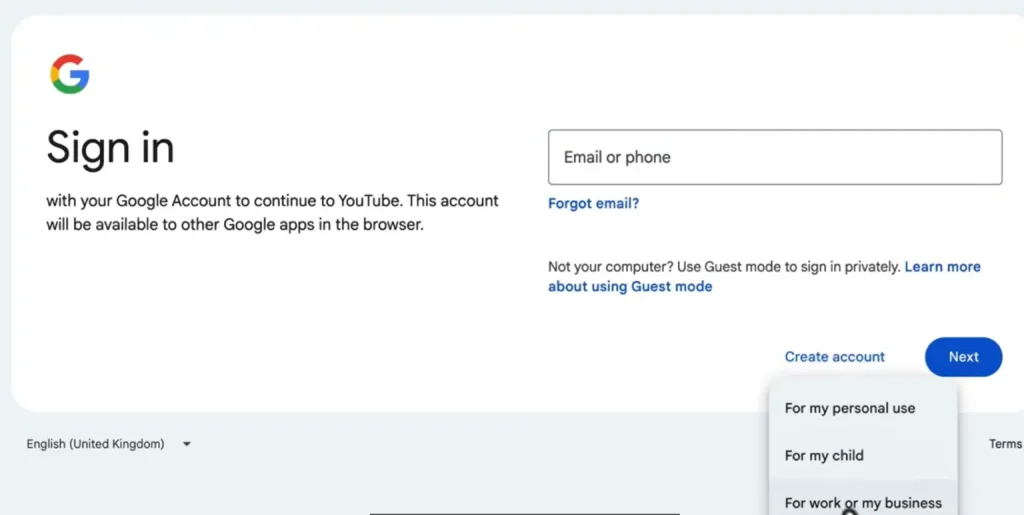
You require a Google account in order to make a YouTube channel. You have come halfway just in case you already use Gmail.
- Go to youtube.com
- Click Sign In
- Sign in using your Google account (or make one).
- After signing in, you are now ready to create your channel.
Step 3: Establish Your YouTube Channel
Now comes the important part.
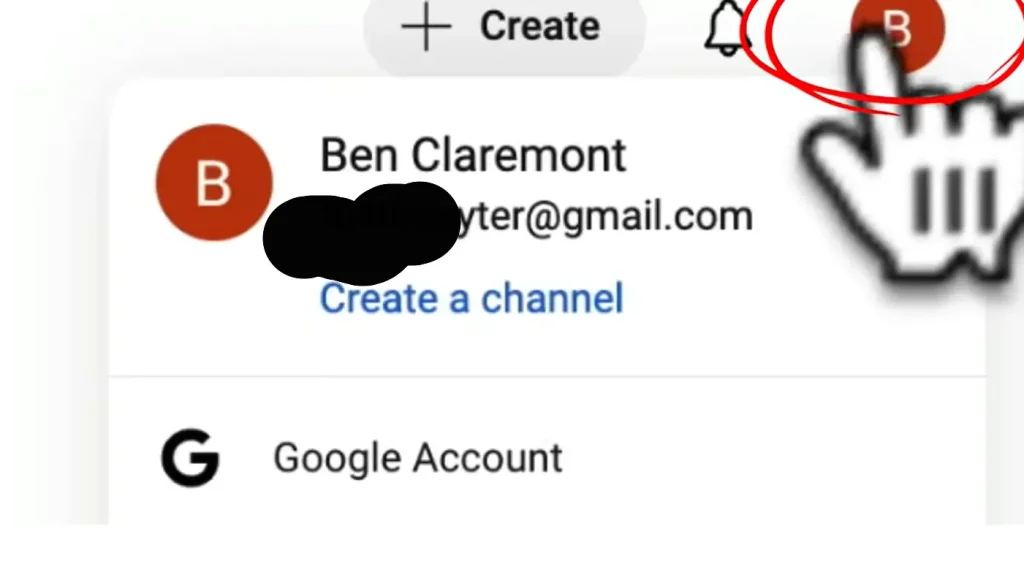
- Click on your profile in the upper right-hand corner.
- Select Create a channel
- Choose between:
- Personal channel (applies your name)
- Brand channel (suggested for businesses or content brands)
A brand channel lets you:
- Use a custom name
- Add multiple managers
- Look more professional
Make a YouTube channel with a name that’s
- Easy to remember
- Relevant to your niche
- Easy to spell and search
Step 4: Customize Your Channel
First impressions matter when you make a YouTube channel. A better branded channel generates trust in a flash.
-
Add a Profile Picture
- Use a clear headshot or logo
- Size: 800 x 800 pixels
- Make it clear and familiar.
-
Make a YouTube Channel Banner Design
Within seconds your banner must inform your visitors of what your channel entails.
Tips:
- Size: 2560 x 1440 pixels
- Add your posting schedule (e.g. New Videos Every Friday)
- Include a brief tagline or value statement.
-
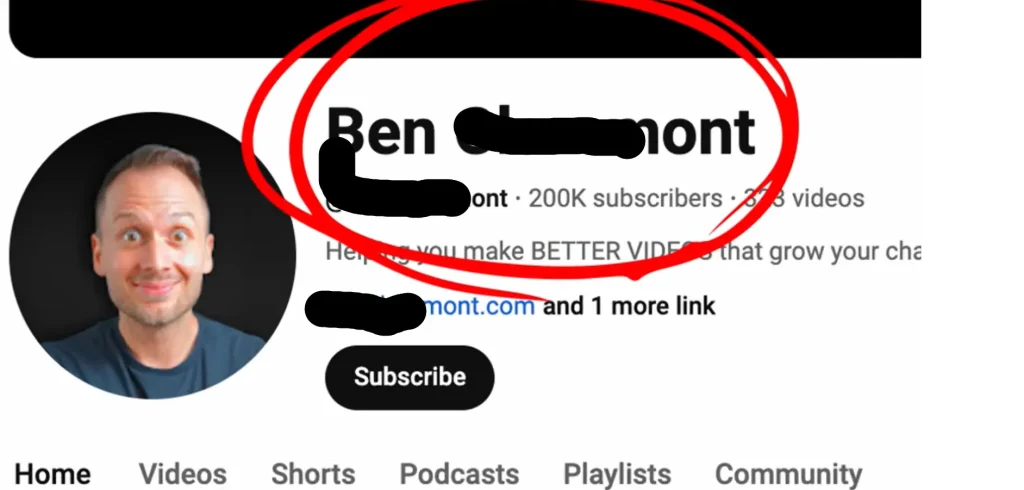
Write Your YouTube Channel Description
Your about page helps the viewers and YouTube to know your content.
Include:
- What your channel is about
- Who it’s for
- The types of videos that you post.
Example:
Below is the screenshot of a channel where beginners can learn graphic design through simple tutorials, tips, and real-life projects.
Step 5: Design Your Content Strategy
YouTube is all about consistency. You have to plan your initial few videos before uploading.
-
Choose Video Topics after You Make a YouTube Channel
Begin with the content that people are already searching for:
- “How to” tutorials
- Beginner guides
- Problem-solving videos
- Product reviews
-
Use tools to Improve Efficiency
- Autocomplete on a YouTube search.
- Google Trends
- Competitor channels
-
Develop a Basic Content Plan
You don’t need to post daily. Start with once a week or twice a month. Do not take up a schedule that you cannot stick to.
Step 6: Record Your First Video
The expensive equipment is not a requirement to begin a YouTube channel.
- Basic Equipment You Can Use
- Smartphone or webcam
- Natural light or an ordinary ring light.
- Earphones or a low-end microphone.
- Focus on:
- Good audio (more significant than the quality of video)
- Good lighting
- A clean background
Be yourself. The audience relates more to the real content than the ideal.
Step 7: Edit Your Video
Editing will prevent boredom of your videos and make them professional.
-
Editing applications that are easy to use:
- iMovie (Mac)
- CapCut
- DaVinci Resolve
- Adobe Premiere Pro
-
Basic edits to include:
- Cut out long pauses
- Add text or captions
- Adjust audio levels
- Add simple transitions
Avoid over-editing—it is better to be clear than to use effects.
Step 8: Publish and optimize your video
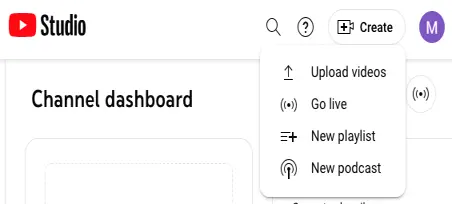
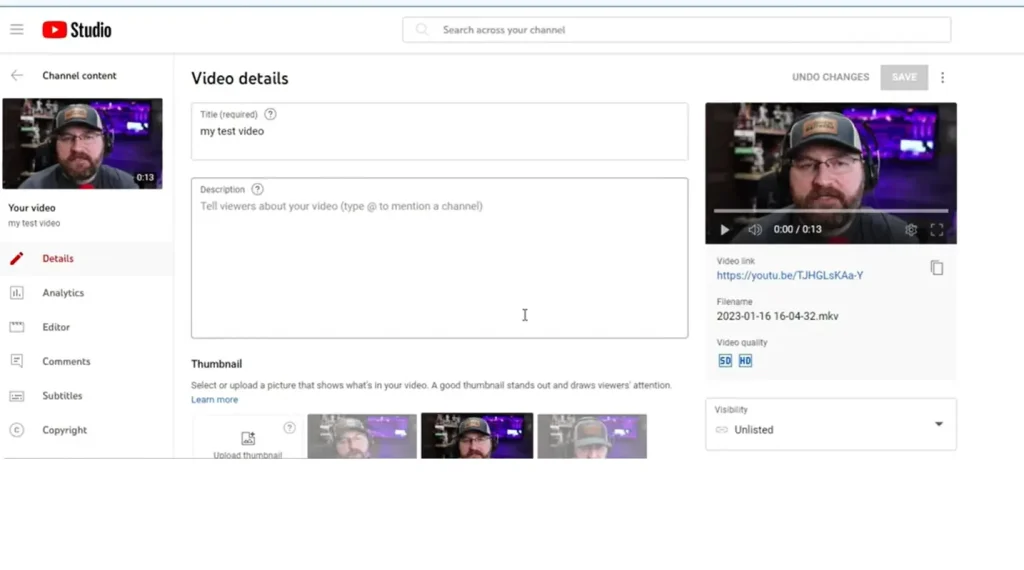
Publishing does not simply mean clicking on upload. The optimization assists in discovering your video.
-
Write a Strong Title
- Include keywords
- Make it clear and clickable
- Avoid clickbait
Example:
How to create a YouTube channel in 2025 (beginner guide).
-
Write a Helpful Description
- Describe what is in the video.
- Add keywords naturally
- Add links or time stamps in case of necessity.
-
Use Relevant Tags
Tags assist YouTube in comprehending your content, particularly in cases where your channel is a new one.
-
Create an Attractive Thumbnail.
They have a massive influence of thumbnails on clicks.
Tips:
- Use bold text
- High-contrast colors
- Clear facial expressions
- Keep it simple
Step 9: Publish and Promote
Once your video is live:
- Share it on social media
- Forward it to friends or email lists.
- Embed it in blog posts
Early engagement action (likes, comments, watch time) assists YouTube in marketing your video to a wider audience. This will put you on the right path to success after you make a YouTube channel.
Step 10: Analyze and Improve
- YouTube Studio is a valuable source of information:
- Watch time
- Audience retention
- Click-through rate
- Subscriber growth
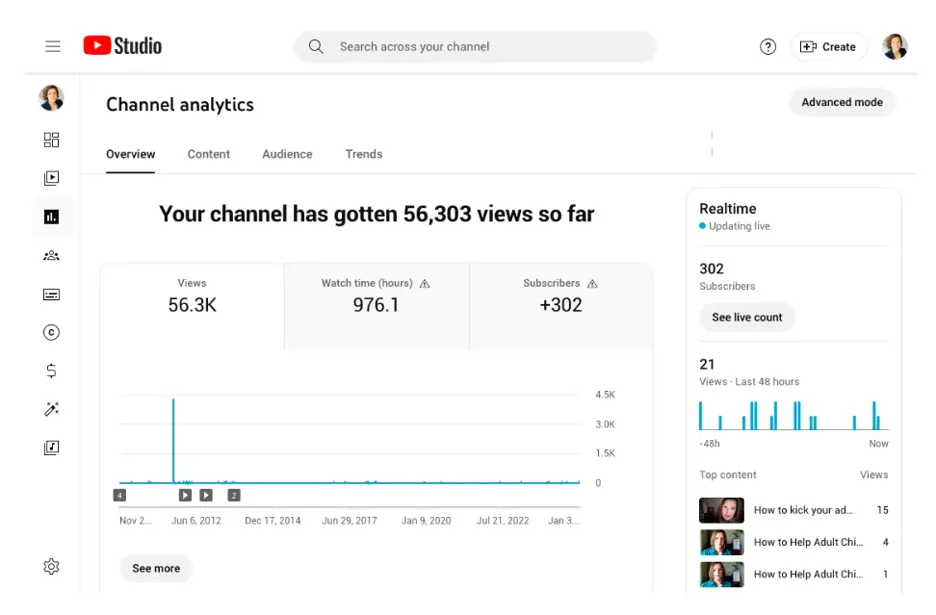
- Use this data to:
- Improve future videos
- Know what your audience likes.
- Resize titles and thumbnails.
Things do not happen overnight—do not be disheartened with slow progress.
Conclusion
Anyone can make a YouTube channel, but it only takes consistency, patience, and true value to make it. On day one, you do not need ideal equipment and millions of subscribers or viral videos. You only need to have purpose, desire to learn, and the strength to hit the upload button.
The initial videos that you make will not be perfect—and that is not bad. All famous YouTubers began their activities with no subscribers. Create your channel now, perfect it with each video, and allow your channel to grow organically.
FAQs
Is there a free way to make a YouTube channel?
Yes, creating a You Tube channel is absolutely free. The only thing that you require is a Google account. You are able to post videos, personalize your channel, and build up an audience without spending a single cent. The optional costs could be equipment, editing software or marketing tools.
How long does it take to grow after you make a YouTube channel?
The growth is different among all creators. There are those channels whose results are achieved within a few months and others within a year or more. Regularity, the quality of videos, audience interaction, and selection of the appropriate niche significantly contribute to the rate at which a channel grow.
Is it necessary to have costly equipment to make a YouTube channel?
No. A smartphone, simple lighting, and free editing software will be sufficient to begin with. A good quality and clear audio and lighting is good to go when you are just beginning.
What would be the number of videos that I should post as a newbie?
Being a beginner, you should target at least a video per week or two videos per month. The key is consistency. Regular uploading will assist YouTube in comprehending your channel and will earn people confidence in you.
How soon can I make money from YouTube?
To be eligible to monetize your YouTube channels, you need 1,000 subscribers and 4,000 hours of watch time within the last 12 months (or 10 million Shorts views within 90 days). Most of the creators also make income earlier by affiliate links or sponsor or selling products.